
Top 5 Best Keyboards For Programming

Top 5 Best Keyboards For Programming

When it comes to programming, having the right keyboard can make a huge difference in your productivity and comfort. As a programmer, you need a keyboard that is responsive, comfortable, and customizable. With so many options available in the market, it can be overwhelming to choose the right one that suits your needs. To make your life easier, we’ve compiled a list of the top 5 best keyboards for programming. Our recommendations are based on factors like responsiveness, durability, customization options, and overall value for money. Whether you’re a seasoned programmer or just starting, our list has something for everyone. Let’s dive in and find the perfect keyboard for your programming needs.

Take a quick look at our top picks for world-class programming keyboards that have been tried and tested for their superior performance. Here is the list at a glance. 

1. Corsair K100 RGB (Best Overall Performance)
2. Keychron V6 Max (Best Customizable Mechanical)
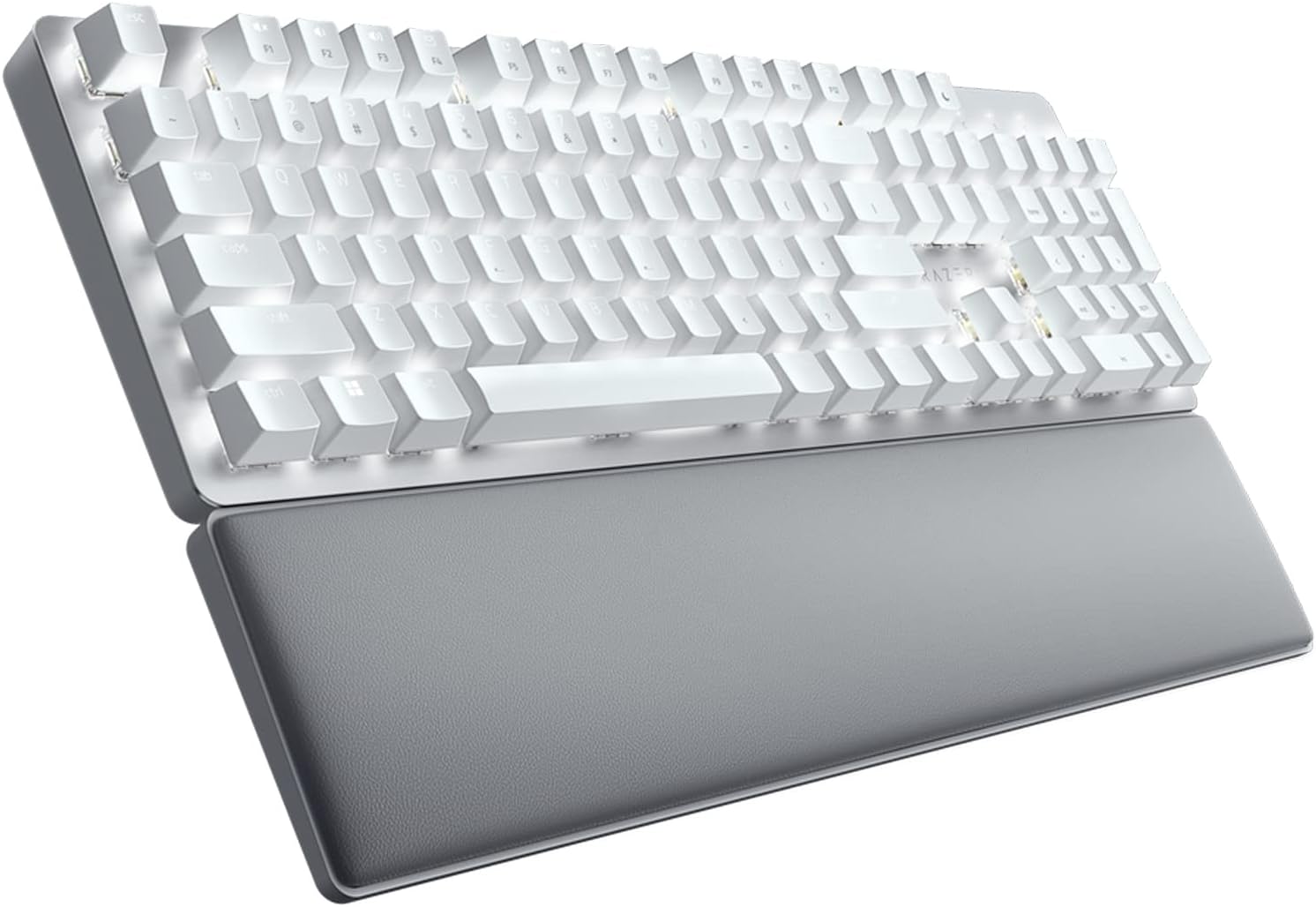
3. Razer Pro Type Ultra (Best Wireless keyboard for Programming)
4. Kinesis Advantage2 (Best Ergonomic)
5. Logitech MX Keys S (Best Low-Profile/Membrane)

The Corsair K100 RGB is a flagship keyboard offering a suite of high-end features, most notably the AXON Hyper-Processing Technology that achieves up to an 8,000Hz polling rate, providing near-instantaneous input response critical for rapid coding and testing. Its core strengths include a durable aluminum frame, dedicated macro keys, and a programmable iCUE control wheel, all of which are managed by the comprehensive iCUE software, allowing for deep, per-key customization of lighting and key assignments to create a highly efficient coding environment.

The primary drawbacks are its high price tag, placing it in the most expensive bracket, and its large, full-sized footprint that takes up a significant amount of desk space. Furthermore, while the iCUE software is powerful, its complexity and tendency to be resource-intensive can be overwhelming or inconvenient for users who prefer a simpler, plug-and-play setup.

The Keychron V series, exemplified by the V6 Max, is highly valued by coders for blending premium features with a budget-conscious price point, featuring a gasket-mounted design for a comfortable and satisfying typing sound and feel. The V6 Max enhances productivity with wireless connectivity, hot-swappable switches, and complete QMK/VIA support, which is a powerful asset for developers as it allows for the precise, graphical remapping of every key, creation of sophisticated macros, and installation of custom firmware tailored to specific coding workflows.

A notable con is that achieving the perfect typing experience requires additional effort and expense, as the user may need to purchase and swap out custom switches or keycaps after the initial purchase. Also, its mechanical nature means it can be significantly louder than office keyboards, which may be disruptive in shared workspaces, and its wireless performance, while good, may not be as rock-solid as a purely wired connection.

Tailored for professional environments, the Razer Pro Type Ultra is a productivity-focused keyboard featuring silent, linear mechanical switches and a soft-touch coating on the keycaps for an exceptional and comfortable typing experience over marathon coding sessions. The keyboard offers multi-device connectivity via both Bluetooth and a high-speed 2.4 GHz dongle, capable of pairing with up to four devices, and is complemented by a plush ergonomic wrist rest for added comfort with its clean, white backlighting suitable for any office.

The main downside is that the white-only aesthetic might not appeal to everyone, and the keyboard’s non-premium mechanical feel may disappoint users accustomed to custom or enthusiast-grade mechanical keyboards. Additionally, deep key customization and macro programming generally require the user to install and run the proprietary Razer Synapse software, which can sometimes be cumbersome.

The Kinesis Advantage2 is a unique, gold-standard ergonomic device, boasting a patented contoured design with separated, concave key wells and an ortholinear key layout engineered to drastically minimize strain and prevent repetitive stress injuries like carpal tunnel syndrome. Its feature set is perfect for programmers, including dedicated thumb clusters that shift common modifiers (like Enter and Backspace) to stronger digits, 2MB of onboard memory, and the powerful SmartSet Engine for driverless, highly complex macro creation and instant layout switching between QWERTY and DVORAK.

The keyboard’s most significant con is the highly unconventional design, which mandates a steep and mandatory learning curve that requires a dedicated period of adjustment before a user can regain their full typing speed. It is also one of the most expensive keyboards available for programming and is limited to a wired connection, making it non-portable for developers who travel or switch workspaces frequently.

The Logitech MX Keys S is highly regarded for its quiet, comfortable, and precise typing experience, thanks to its spherically-dished, low-profile keys that guide the fingertips and ensure accuracy while minimizing noise. It is a seamless wireless solution that connects to up to three devices using Bluetooth or the Logi Bolt receiver, and its battery life is maximized by smart illumination, which adjusts brightness based on hand proximity and ambient light, while the Logi Options+ software enables the automation of complex, repetitive tasks through Smart Actions.

As a non-mechanical keyboard (scissor-switch mechanism), it lacks the tactile depth and customizable feel that many programmers prefer in mechanical switches, which can be a key factor in typing satisfaction. A significant inconvenience is the fixed, non-adjustable incline angle, which limits ergonomic adaptability, and the smart backlighting, while useful, can drastically shorten the time between charges, requiring the user to plug in the keyboard more often than advertised.

To see the Top 10 Best Mechanical Keyboards, check out this link:

Top 10 The Best Mechanical Keyboards

Conclusion

Having thoroughly explored the top five keyboards, it is clear that the best choice for a programmer who codes all day long is highly subjective, relying on a critical balance between ergonomics, switch preference, and programmability.

The options reviewed—ranging from the high-speed optical-mechanical switches of the Corsair K100 to the supreme ergonomic comfort of the Kinesis Advantage2—show that no single keyboard is universally superior. Ultimately, the ideal tool for long coding sessions is the one that best matches your personal typing style and promotes long-term hand health, ensuring you can maximize productivity without fatigue. 

0 0 votes
Article Rating
Subscribe
Notify of
guest
0 Comments
Oldest
Newest Most Voted
Inline Feedbacks
View all comments